Stakeholder Strategy and Engagement System
Connect medical objectives, evidence questions, relevant stakeholders and scientific discussions through to follow-up.
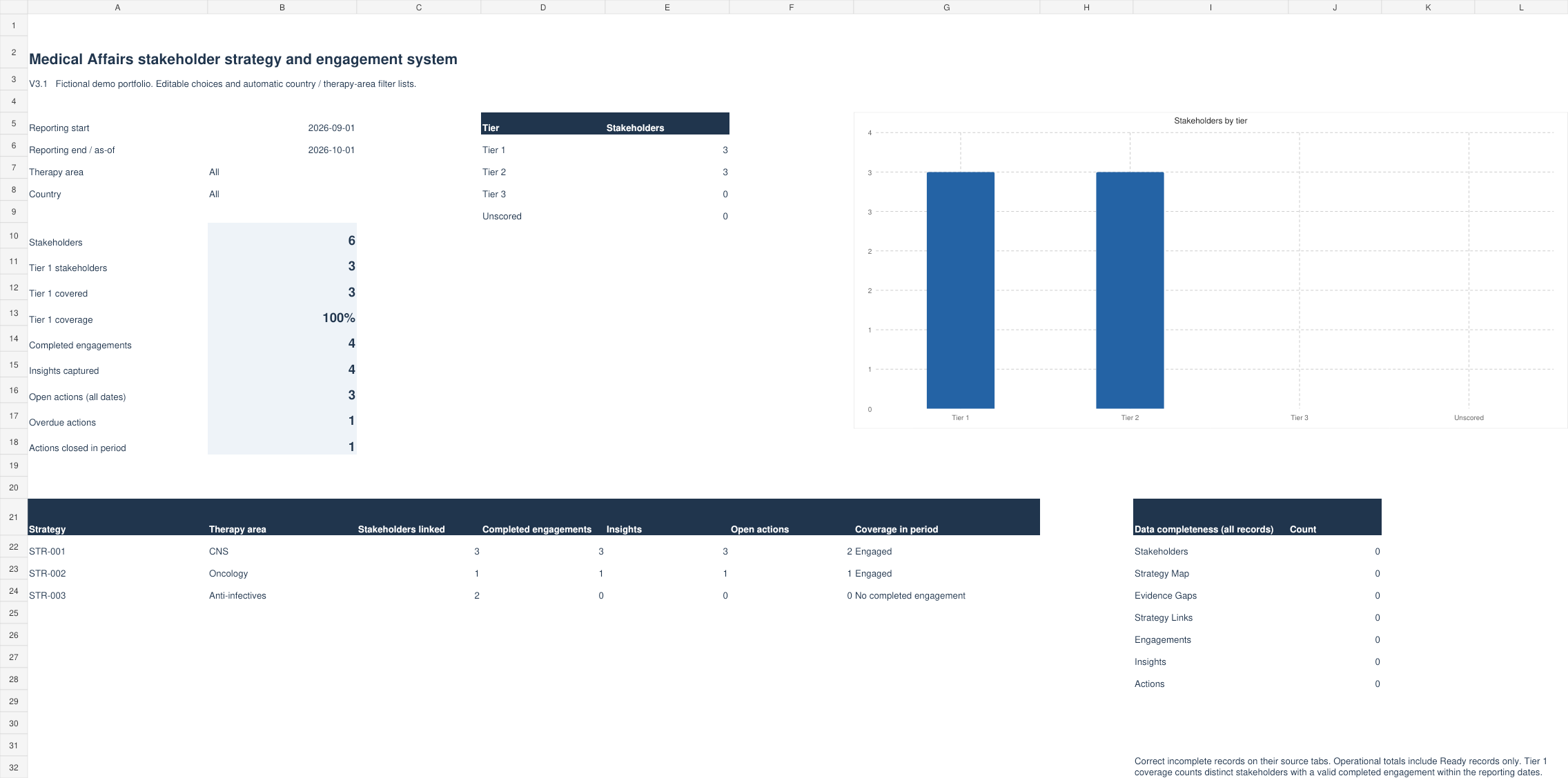
Actual workbook screenshots. Select a tab to explore; click the image to view it full size.
Version v3.1 is the content version of the Stakeholder Strategy and Engagement System; the other workbooks start at v1.0.
See the workbook in action
4:54 · English · Fictional examples. The video loads from YouTube only when you press play. Watch on YouTube
From understanding to a working process
Set the strategy
Record medical objectives, intended outcomes and evidence questions.
Connect the records
Use stable IDs to link stakeholders, strategies, gaps and planned scientific exchanges.
Follow the learning
Document insights, assign justified actions and review completion evidence.
What’s included
| Tab or group | What it supports |
|---|---|
| Strategy Map and Evidence Gaps | Medical objectives, evidence questions, owners and review dates. |
| Stakeholders and Strategy Links | Expertise assessments and stakeholder–strategy–gap relationships. |
| Engagements, Insights and Actions | Planned discussions, observed learning, review decisions and follow-up. |
| Dashboard and Configuration | Reporting dates, country and therapy filters, portfolio summaries and editable choices. |
| ReadMe and Scoring Guide | Instructions and configurable assessment anchors. |
Prepared capacity: 200 rows per operational table.
All cells are editable. Amber cells hold manual inputs; grey cells hold formulas. Overwriting a formula removes its calculation. Save a clean copy and follow the workbook’s instructions before replacing fictional examples.
What to know before use
Ready indicates required documentation and record relationships, not scientific accuracy or approval for an external activity. Country and therapy filter options refresh from source records; a selected filter must be changed manually when its source value is renamed.
Who is this workbook for?
Medical Affairs managers and MSL teams who need a practical way to document the task described in the companion article. Agree local definitions, roles and processes before using it.
Does a workbook status validate the science?
No. Statuses and checks describe entered records and selected documentation rules. Evidence quality and the interpretation still require professional review.
Which software and purchase terms apply?
The file format is .xlsx. Application-specific compatibility, prices, licence terms, refunds, support and update arrangements will be confirmed before sales open.
Included workbook: Medical_Affairs_Stakeholder_Strategy_Engagement_System_v3_1_Editable.xlsx
Read the approach behind the tool.
The companion article includes references, examples and interpretation limits.
Read the companion article